
Meter and logbook order
Click here to find out more.
Serial and Lot numbers
The Serial Number (SN) is located on the back of your OneTouch® meter and on the meter box.
The control solution lot number (LOT) is located directly on the control solution vial and on the control solution box.
Meter registration and warranty
You can register your meter in 2 simple ways:
- Online
- By contacting OneTouch® Customer Care @ 1-800-663-5521. Please make sure you have your meter available to make the registration process simple.
By registering your OneTouch® meter we can provide you with product updates, useful information and ongoing support to help you manage your diabetes.
LifeScan guarantees that the OneTouch® meters will be free of defects in material and workmanship for three years, valid from the date of purchase. The guarantee extends only to the original purchaser and is not transferable.
If you think your OneTouch® meter is broken you can review the product FAQs for online help or contact OneTouch® Customer Care @ 1-800-663-5521. Please make sure you have the meter and test strips with you when you call. Alternatively, contact your healthcare professional.
Error messages
If you are experiencing problems with your OneTouch® meter, please first check the "Troubleshooting" section in your Owner’s Booklet. If you are still experiencing problems, please contact OneTouch® Customer Care @ 1-800-663-5521 and we’ll do everything we can to help resolve the problem. Please make sure you have your meter and test strips available when you call. Alternatively, contact your healthcare professional.
If you are experiencing problems with your OneTouch® meter, please first check the "Troubleshooting" section in your Owner’s Booklet. If you are still experiencing problems, please contact OneTouch® Customer Care @ 1-800-663-5521 and we’ll do everything we can to help resolve the problem. Please make sure you have your meter and test strips available when you call.
Meter readings
Comparing your blood glucose test results taken with this meter to your results taken from a different meter is not recommended. Results may differ between meters and are not a useful measure of whether your meter is working properly.
Test strips
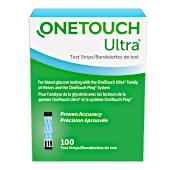
OneTouch® test strips are sold separately and may not be included in the meter kit. For availability of test strips, please contact OneTouch® Customer Care @ 1-800-663-5521 or ask your pharmacist or healthcare professional.
No, not all OneTouch® test strips are compatible with all OneTouch® meters. Please read more about which test strips are right for your OneTouch® meter in the Product pages or refer to your Owner’s Booklet. If you have any doubt about which test strips you should use, please contact OneTouch® Customer Care @ 1-800-663-5521 or your healthcare professional.
Please read more about which test strips should be used for your OneTouch® meter in the product pages or refer to your Owner’s Booklet. If you have any doubt about which test strips you should use, please contact OneTouch® Customer Care @ 1-800-663-5521 or your healthcare professional.
Control solution
OneTouch® control solutions are sold separately. For availability of control solution, please contact OneTouch® Customer Care @ 1-800-663-5521 or ask your pharmacist or healthcare professional.
How to contact us


Toll free: 1-800-663-5521
Monday to Friday.
9.00 a.m. - 8.00 p.m. (ET)
6.00 a.m. - 5.00 p.m. (PT)
Select your country
CA-POR-2000005
